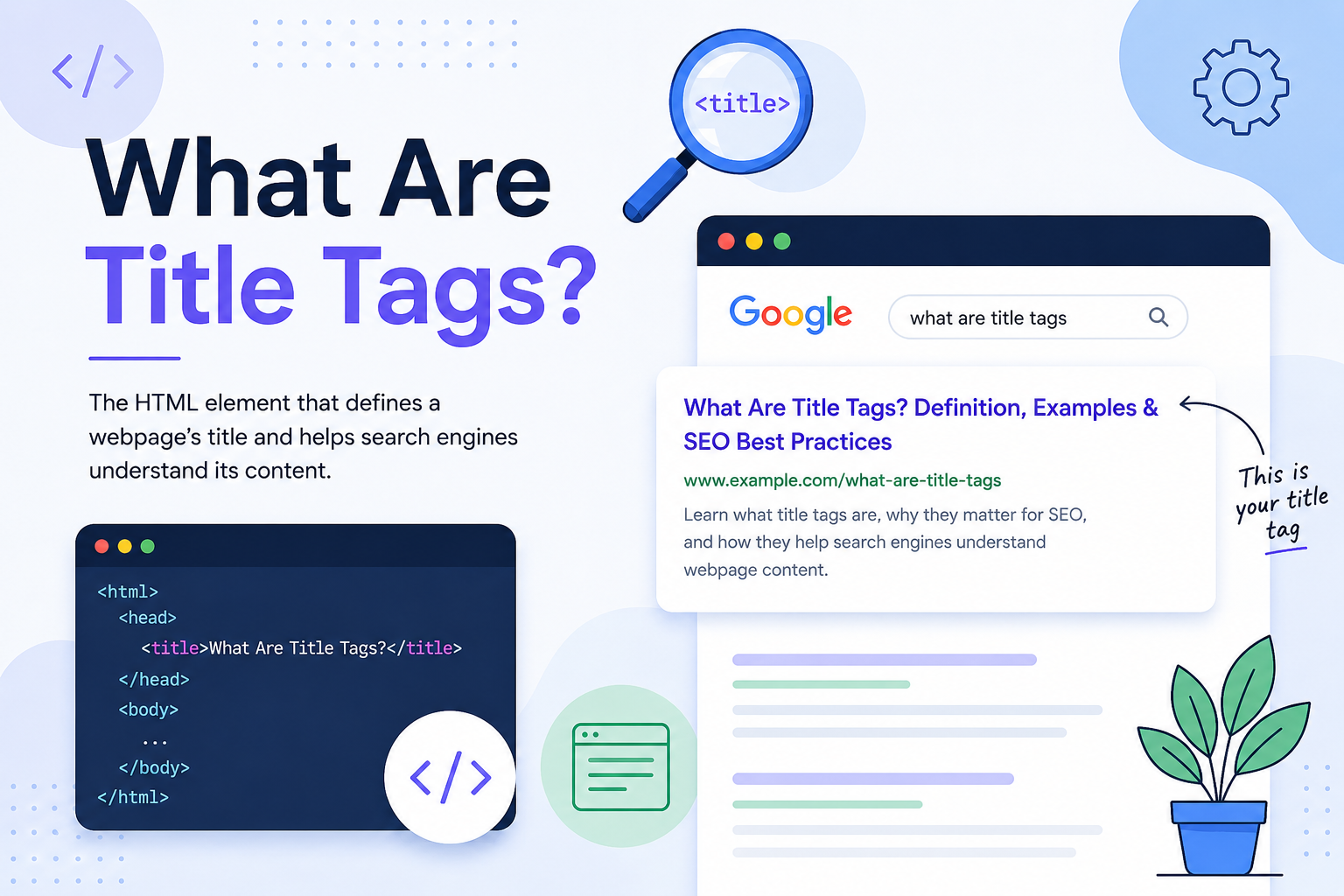
Title tags are HTML elements that define the title of a webpage. They help search engines understand what a page is about and often appear as the clickable headline in search engine results pages (SERPs).
Although title tags are small pieces of code, they play a significant role in how webpages are interpreted, indexed, and presented to users. They also influence how people interact with search results, making them an important component of on-page SEO.
Whether you manage a personal blog, business website, or large content platform, understanding title tags is essential for creating pages that are clear, relevant, and easy for both users and search engines to understand.
Understanding Title Tags
A title tag is an HTML element placed inside the <head> section of a webpage.
It provides the official title of the page and serves as one of the primary signals search engines use to understand page content.
A basic title tag looks like this:
<title>What Are Title Tags? A Beginner's Guide</title>
The title itself is not typically displayed within the visible content of a webpage. Instead, it exists in the page’s HTML and is used by browsers, search engines, bookmarks, and other systems that reference webpage information.
Where Title Tags Appear
Title tags can appear in several important locations across the web.
Search Engine Results Pages
The most familiar use of a title tag is within search results, where it often appears as the clickable headline users select to visit a webpage.
Browser Tabs
Web browsers typically display the title tag within the page tab, helping users identify open pages.
Browser Bookmarks
When users save pages as bookmarks, browsers often use the title tag as the bookmark name.
Social Sharing Platforms
Many social platforms use title information when generating link previews, although other metadata may also influence the displayed title.
Example of a Title Tag in Search Results
Imagine a user searches for:
“what are title tags”
A search result may appear like this:
What Are Title Tags? Definition, Examples & SEO Best Practices
www.example.com
Learn what title tags are, why they matter for SEO, and how they help search engines understand webpage content.
In many cases, the clickable headline shown in the search result is generated from the page’s title tag.
This connection makes title tags one of the first things users encounter before deciding whether to visit a page.
Why Title Tags Matter
Title tags serve both search engines and users.
Helping Search Engines Understand Content
Search engines analyze title tags to identify the primary topic of a webpage.
A clear title provides valuable context and helps search engines associate pages with relevant search queries.
Supporting Organic Search Visibility
Title tags help search engines understand page relevance, making them an important part of overall SEO.
Although rankings depend on many factors, title tags contribute to how pages are interpreted and categorized.
Improving Click-Through Rates
A page can rank well and still receive fewer clicks if its title is unclear.
Users often decide which result to visit based largely on the title displayed in search results.
Creating Better User Experiences
Descriptive titles help users quickly determine whether a page is likely to satisfy their needs.
This improves navigation and reduces confusion.
How Search Engines Use Title Tags
Search engines use title tags as one of several signals to understand webpage content.
They may use title tags to:
Identify a page’s primary topic
Understand content relevance
Associate pages with search queries
Differentiate pages across a website
Generate search result headlines
Support indexing and content organization
While title tags are important, search engines also evaluate many other signals when understanding webpages.
Why Search Engines Sometimes Rewrite Title Tags
One common misconception is that search engines always display title tags exactly as written.
In reality, search engines may rewrite title tags when they determine another version would better serve users.
This may happen when:
Titles are excessively long
Keywords are repeated unnaturally
The title does not accurately describe page content
Important information is missing
Another heading better reflects the page topic
The title creates a poor user experience
A rewritten title does not automatically indicate a problem. However, frequent rewrites can sometimes suggest that a title could be clearer or more relevant.
How Title Tags Support Search Intent
Search intent refers to the reason behind a user’s search.
Effective title tags align with that intent and clearly communicate what the page offers.
For example:
Informational Searches
Users seeking knowledge often respond best to descriptive titles.
Example:
What Are Title Tags? A Complete Beginner's Guide
Commercial Research Searches
Users comparing options may prefer more specific titles.
Example:
Title Tags vs Meta Descriptions: Key Differences Explained
Navigational Searches
Users looking for a specific page benefit from clear identification.
Example:
Title Tag Documentation | SEO Learning Center
When title tags align with search intent, they create stronger relevance signals for both users and search engines.
Where Title Tags Exist in HTML
Title tags are located within the HTML <head> section of a webpage.
Example:
<head>
<title>What Are Title Tags?</title>
</head>
Because the title tag resides within the page source rather than the visible content area, many website owners never see it directly unless they view the HTML or use a content management system.
Characteristics of Effective Title Tags
Effective title tags share several important qualities.
Clear and Descriptive
The title should accurately explain the page topic.
Relevant
The wording should align with what users are searching for.
Unique
Every page should have its own title tag.
Readable
Titles should be written naturally and be easy to understand.
Accurate
The title should reflect the actual content found on the page.
Best Practices for Writing Title Tags
When creating title tags, focus on quality rather than manipulation.
Consider these principles:
Prioritize clarity over clever wording
Accurately describe page content
Match user expectations
Make every title unique
Write naturally for humans
Avoid unnecessary repetition
Keep the page topic obvious
The goal is to create titles that are useful, relevant, and easy to understand.
Common Title Tag Formats
Different types of content often use different title structures.
Educational Content
What Are Title Tags? A Beginner's Guide
How-To Content
How to Write Effective Title Tags for SEO
Comparison Content
Title Tags vs Meta Descriptions: What's the Difference?
List Content
10 Title Tag Best Practices for Better SEO
These examples demonstrate how title formats can adapt to different content goals while remaining descriptive and user-focused.
Common Title Tag Mistakes
Several common issues reduce the effectiveness of title tags.
Duplicate Title Tags
Using the same title across multiple pages makes it harder for search engines to understand page differences.
Generic Titles
Titles such as “Home” or “Page 1” provide little useful information.
Keyword Stuffing
Excessive keyword repetition creates poor readability.
Example:
SEO Services SEO Company SEO Expert SEO Agency SEO Consultant
Misleading Titles
Titles should accurately represent page content.
Excessively Long Titles
Long titles may be shortened in search results, reducing clarity.
Title Tags vs Meta Descriptions
Although title tags and meta descriptions frequently appear together in search results, they perform different functions.
Title Tags
Title tags identify the webpage and communicate its primary topic.
Meta Descriptions
Meta descriptions summarize the page and provide additional context that may encourage clicks.
Both elements contribute to how pages appear in search results, but they are separate HTML components.
Title Tags and On-Page SEO
Title tags are considered a foundational element of on-page SEO.
They help search engines understand content while supporting page organization and topical relevance.
However, title tags work alongside many other on-page elements, including:
Content quality
Heading structure
Internal linking
Website architecture
User experience
Together, these elements help search engines understand webpages more effectively.
Quick Title Tag Audit Checklist
Use the following checklist when reviewing title tags:
Is every page using a unique title?
Does the title accurately describe the content?
Is the wording clear and understandable?
Does the title align with search intent?
Is keyword usage natural?
Would a user immediately understand the topic?
Does the title reflect the page’s primary focus?
A title that passes these checks is generally serving its purpose effectively.
Expert Insight
Many website owners focus exclusively on rankings when writing title tags.
However, title tags influence more than search visibility.
A webpage can achieve strong rankings and still receive fewer clicks if the title fails to communicate value or relevance. In many cases, improving a title tag can increase user engagement without changing the page’s content.
For this reason, effective title tags should be written for both search engines and human readers.
Frequently Asked Questions
Are title tags a ranking factor?
Title tags help search engines understand page content and are considered an important relevance signal within SEO.
Can search engines change my title tag?
Yes. Search engines sometimes display alternative titles when they believe another version better matches user intent or page content.
Should every page have a unique title tag?
Yes. Unique titles help distinguish webpages and improve content organization.
How long should a title tag be?
There is no strict limit, but concise and descriptive titles generally provide the best user experience.
Is a title tag the same as an H1 heading?
No. A title tag exists in the page’s HTML head, while an H1 heading appears within the visible page content.
Can a webpage have more than one title tag?
A webpage should have only one title tag. Multiple title tags can create ambiguity and may lead to unexpected behavior.
What happens if a page has no title tag?
Search engines may generate a title using page content, headings, or other available information.
Do title tags affect click-through rates?
Yes. The title shown in search results can influence whether users choose to visit a page.
How often should title tags be updated?
Title tags should be reviewed whenever page content changes significantly or when improvements in clarity and relevance are needed.
Final Thoughts
Title tags are among the most important HTML elements used to describe webpages. They help search engines understand content, support indexing, communicate relevance, and influence how users interact with search results.
While simple in appearance, title tags play a critical role in connecting webpages with search queries and user expectations. By creating clear, accurate, and relevant title tags, website owners can improve both content organization and user experience while helping search engines better understand their pages.