-
nimda
- June 17, 2026
Header tags are HTML elements used to define headings and subheadings on a webpage. They create a structured hierarchy that helps users understand content organization and enables search engines to interpret the relationships between different sections of a page.
Ranging from H1 to H6, header tags serve as a framework that organizes information into logical sections. They improve readability, support accessibility, and contribute to a better user experience by making content easier to scan and navigate.
Although header tags are often associated with SEO, their primary purpose is content structure. When used correctly, they help both visitors and search engines understand the main topic of a page and the supporting concepts discussed within it.
Understanding Header Tags
Header tags are HTML elements that identify headings and subheadings within a document.
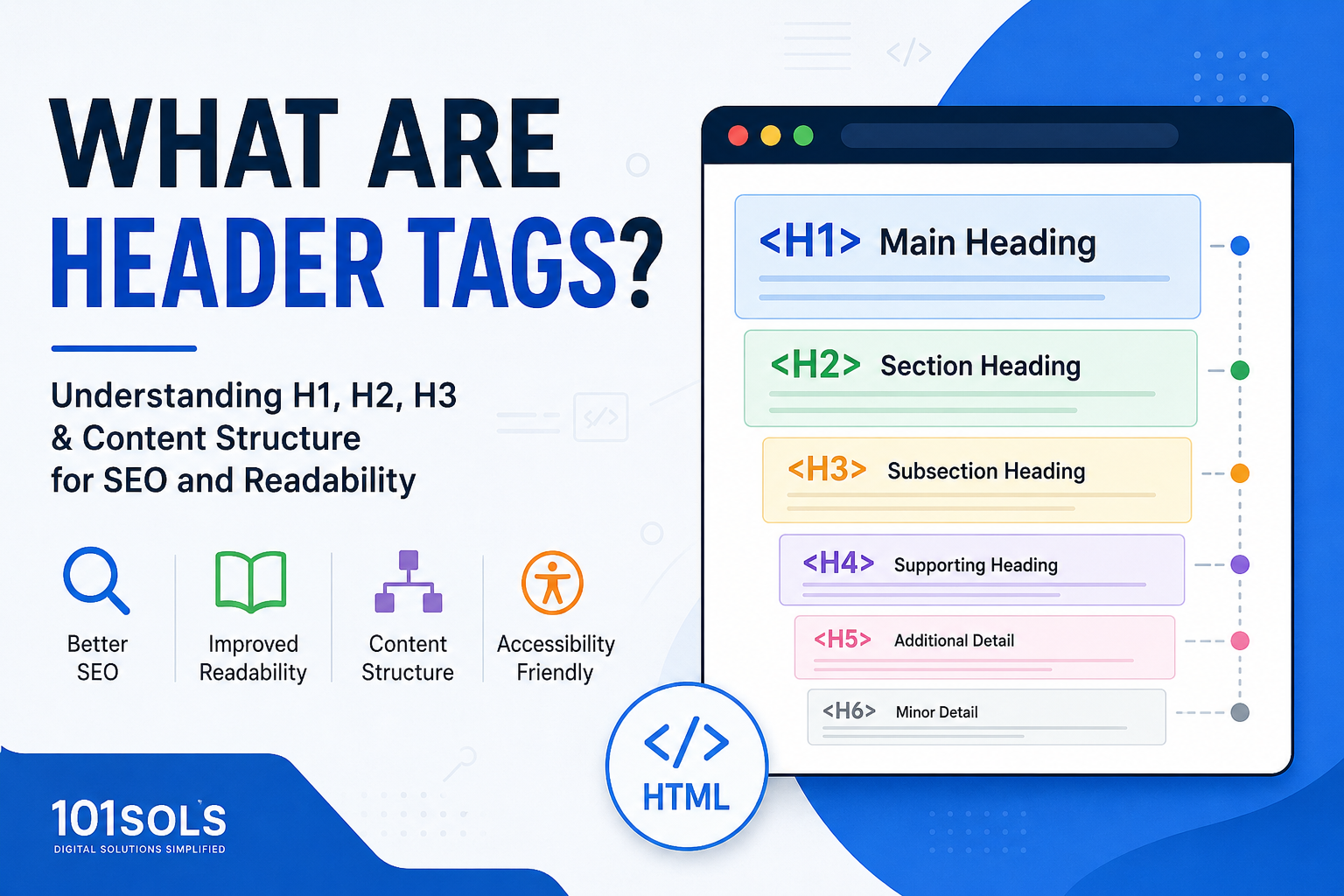
The six heading levels are:
H1 – Main page heading
H2 – Major section heading
H3 – Subsection heading
H4 – Supporting subsection
H5 – Additional nested heading
H6 – Lowest heading level
Each level represents a position within the content hierarchy.
Think of header tags as an outline for a webpage. The H1 represents the primary topic, while H2s, H3s, and lower-level headings organize supporting information beneath it.
Without headings, content can appear as a large block of text. Properly structured header tags create clear sections that make information easier to consume.
Why Header Tags Matter
Header tags serve several important purposes beyond visual formatting.
Content Organization
Headings divide information into logical sections.
Rather than presenting content as one continuous block, header tags create a clear structure that helps readers understand how topics relate to one another.
Improved Readability
Many users scan a webpage before deciding whether to read it in detail.
Descriptive headings allow visitors to quickly identify relevant sections and find answers more efficiently.
Better User Experience
A well-organized page is easier to navigate.
Users can move through content naturally because headings provide clear signposts that indicate what each section covers.
Search Engine Understanding
Search engines analyze page structure to better understand content.
Header tags help indicate:
The primary topic of a page
Important supporting concepts
Relationships between sections
Overall content hierarchy
When headings accurately reflect the information beneath them, search engines gain additional context about the page’s subject matter.
Accessibility Benefits
Header tags are also important for accessibility.
Many assistive technologies rely on heading structures to help users navigate content efficiently. A logical hierarchy makes webpages easier to use for people who depend on screen readers and other accessibility tools.

Understanding the Header Tag Hierarchy
Header tags follow a hierarchical structure similar to an outline.
A properly organized page might look like this:
H1
Main Topic
H2
Major Section
H3
Supporting Subtopic
H4
Additional Detail
This structure helps establish clear relationships between ideas.
Each heading level should logically support the level above it. This makes content easier to understand for both users and search engines.
The Role of H1 Tags
The H1 tag is generally the most important heading on a page.
It represents the primary subject and tells visitors what the content is about.
For example:
H1: What Are Header Tags?
Everything else on the page should support this central topic.
Best Practices for H1 Tags
A strong H1 should:
Clearly describe the page topic
Be unique to the page
Match the content that follows
Align with user expectations
Remain concise and descriptive
Most webpages use a single H1 as the primary heading.
Understanding H2 Tags
H2 tags divide content into major sections.
If the H1 identifies the overall topic, H2 headings introduce the main subjects discussed within that topic.
Example:
H1: What Are Header Tags?
H2: Why Header Tags Matter
H2: Header Tag Hierarchy
H2: Common Header Tag Mistakes
Each H2 expands upon an important aspect of the primary topic.
Understanding H3, H4, H5, and H6 Tags
Lower-level headings provide additional organization within larger sections.
Example:
H2: Why Header Tags Matter
H3: Content Organization
H3: User Experience
H3: Search Engine Understanding
H3: Accessibility Benefits
These subheadings help break complex information into smaller, easier-to-understand sections.
Although H4, H5, and H6 tags are available, many content pages rarely need to use all six levels.
Do Header Tags Affect SEO Rankings?
One of the most common questions about header tags is whether they directly influence search rankings.
Header tags are not considered a direct ranking factor in the same way that factors such as content relevance or page quality may be evaluated. However, they still play an important role in SEO.
Proper heading structures can help by:
Improving content organization
Reinforcing topical relevance
Making pages easier to understand
Enhancing readability
Supporting accessibility
Helping search engines interpret page structure
In other words, header tags contribute to the overall quality and clarity of a webpage, which can indirectly support SEO performance.
Example of Header Tags in HTML
Header tags are implemented using HTML heading elements.
A simple example looks like this:
<h1>What Are Header Tags?</h1>

<h2>Why Header Tags Matter</h2>

<h3>User Experience Benefits</h3>

<h3>SEO Benefits</h3>

<h2>Common Header Tag Mistakes</h2>
This structure tells browsers, users, and search engines how the content is organized.
Example of a Proper Header Tag Structure
To better understand heading hierarchy, consider the structure of a blog article.
H1: What Are Header Tags?

H2: Why Header Tags Matter

H2: Understanding Header Tag Hierarchy

H3: H1 Tags

H3: H2 Tags

H3: H3-H6 Tags

H2: Common Header Tag Mistakes

H2: Best Practices

H2: Final Thoughts
This example follows a logical progression that helps readers move naturally through the content.
Header Tags vs. Title Tags
Header tags and title tags are often confused because both help describe webpage content.
However, they serve different purposes.
Title Tag
A title tag is an HTML element that appears in search engine results and browser tabs.
Header Tags
Header tags appear on the webpage itself and organize content for readers.
For example:
Title Tag
What Are Header Tags? Complete Guide to Heading Structure
H1 Tag
What Are Header Tags?
Although they may sometimes be similar, they are different elements with different functions.
How Header Tags Improve Accessibility
Accessibility is an important but often overlooked aspect of header tag usage.
Many people navigate websites using assistive technologies such as screen readers.
These tools often allow users to move directly between headings, making it easier to locate specific information.
A logical heading hierarchy helps by:
Improving page navigation
Identifying section relationships
Making content easier to understand
Supporting accessibility standards
Creating a predictable reading structure
For users who rely on accessibility tools, proper heading structures can significantly improve the browsing experience.
Common Header Tag Mistakes
Even though header tags are simple elements, they are frequently used incorrectly.
Using Headings Only for Styling
Header tags should define structure, not simply create larger text.
Visual appearance should be controlled through CSS rather than selecting heading levels based solely on size.
Missing an H1 Tag
Pages without a clear primary heading may make it harder for users to immediately understand the page’s focus.
Poor Hierarchy
Skipping heading levels can create confusion.
For example:
H1
H3
H5
This structure lacks a clear relationship between sections.
Vague Headings
Headings such as:
Information
Details
Overview
provide little context.
Descriptive headings are generally more useful.
Overusing Keywords
Adding keywords unnaturally into every heading can reduce readability and create a poor user experience.
Headings should be written primarily for clarity.
Common Myths About Header Tags
Several misconceptions about header tags continue to circulate within SEO discussions.
Myth 1: More H1 Tags Automatically Improve Rankings
Using multiple H1 tags does not automatically improve SEO performance.
What matters most is maintaining a clear and logical content structure.
Myth 2: Every Heading Must Contain Keywords
Headings should be descriptive and useful.
Keywords can be included naturally when relevant, but forcing them into every heading is unnecessary.
Myth 3: Header Tags Alone Improve Rankings
Header tags support content organization and understanding, but they cannot compensate for poor content quality or weak user experience.
Myth 4: Heading Tags Are Only Design Elements
While headings influence presentation, their primary purpose is structural organization and content hierarchy.
Where Header Tags Are Commonly Used
Header tags appear across many types of webpages, including:
Blog articles
Educational content
Knowledge bases
Documentation pages
Landing pages
Ecommerce category pages
Product guides
Resource centers
Any page containing structured information can benefit from a logical heading hierarchy.
Best Practices for Header Tags
When creating content, follow these guidelines:
Use a clear H1 for the primary topic.
Organize major sections with H2 headings.
Use H3-H6 headings only when additional structure is necessary.
Maintain a logical hierarchy.
Write descriptive headings.
Keep headings concise.
Ensure headings accurately reflect section content.
Prioritize readability over keyword repetition.
Consider accessibility when structuring content.
Use headings to guide users through information naturally.
These practices help create a better experience for both readers and search engines.
How Header Tags Support Content Quality
Strong content is not only about providing accurate information. It is also about presenting information in a way that is easy to consume.
Header tags contribute to content quality by:
Improving readability
Enhancing navigation
Organizing information logically
Clarifying topic relationships
Supporting accessibility
Helping users scan content efficiently
As content becomes more detailed, proper structure becomes increasingly important.
Final Thoughts
Header tags are fundamental HTML elements that create structure, hierarchy, and organization within webpage content. By dividing information into clearly defined sections, they help users navigate pages more easily while providing search engines with valuable context about a page’s topic and supporting subjects.
From H1 through H6, each heading level serves a specific purpose within the content hierarchy. When used correctly, header tags improve readability, strengthen accessibility, support content quality, and contribute to a better overall user experience.
Rather than viewing header tags as simple formatting tools, they should be treated as the framework that organizes information into a meaningful and easy-to-understand structure. A clear heading hierarchy benefits everyone who interacts with a webpage, from casual readers to search engines and accessibility tools.
