-
nimda
- June 26, 2026
Introduction
Images are an essential part of modern websites. They make content easier to understand, improve user engagement, showcase products, illustrate concepts, and enhance the overall browsing experience. However, simply uploading high-quality images is not enough to help your website perform well in search results.
Search engines cannot interpret images the way people do. Instead, they rely on various signals—such as file names, alternative text, surrounding content, image formats, and technical information—to understand what an image represents and how it relates to the page.
This is where image SEO becomes important.
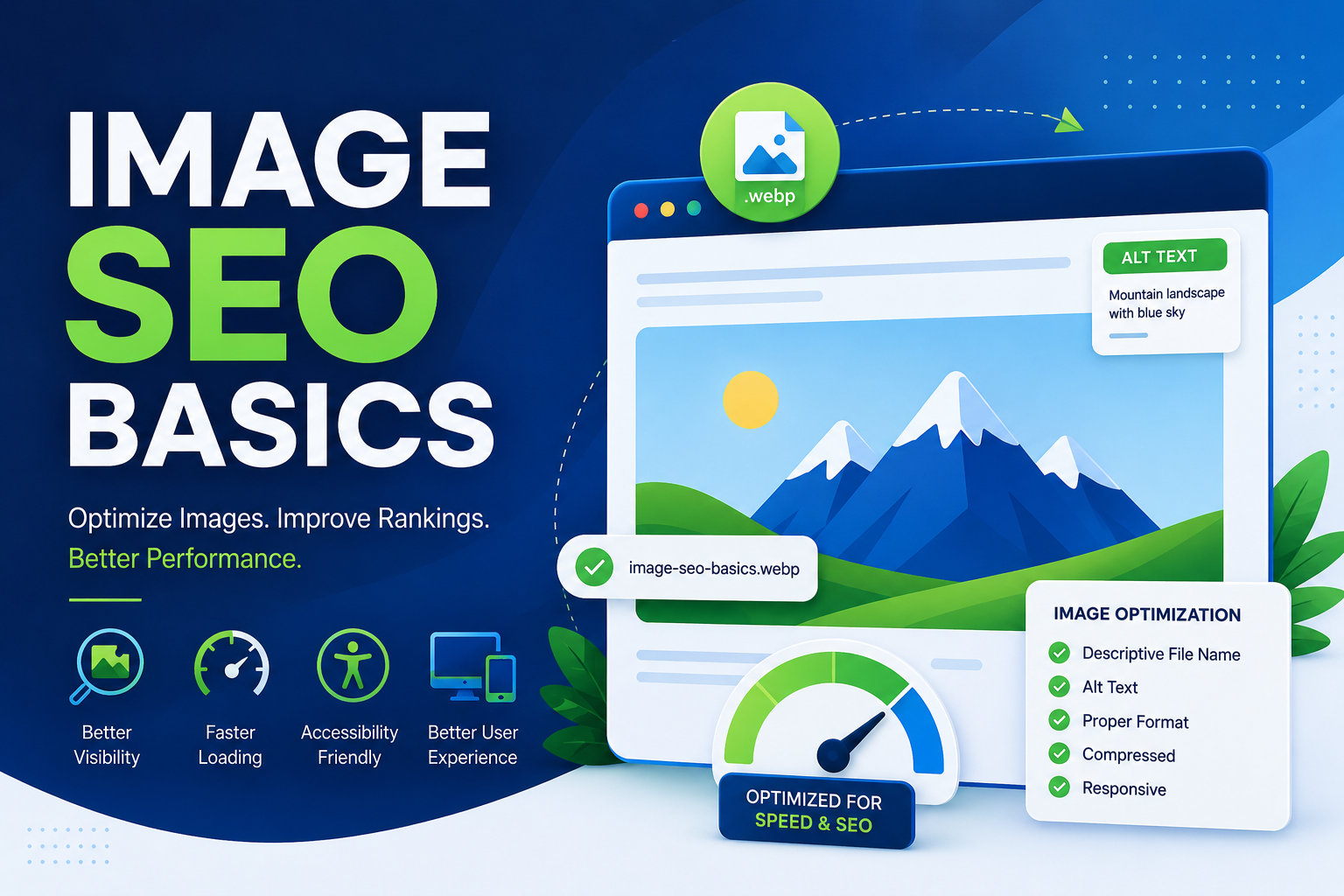
Image SEO is the practice of optimizing images so they contribute to both search visibility and user experience. Properly optimized images can improve page speed, support accessibility, strengthen topical relevance, and create opportunities for your content to appear in image search results. At the same time, image optimization helps reduce unnecessary page weight, making websites faster and more enjoyable to use across desktops, tablets, and smartphones.
Many website owners spend considerable time optimizing written content while overlooking their images. Yet poorly optimized images are among the most common causes of slow-loading webpages, poor user experience, and missed opportunities in organic search.
Whether you manage a personal blog, a business website, an online store, or a resource center, learning the fundamentals of image SEO helps ensure that every visual element on your site supports your overall SEO strategy rather than becoming a hidden technical obstacle.
What Is Image SEO?
Image SEO is the process of optimizing images so search engines can discover, understand, index, and display them appropriately in search results while providing visitors with a better browsing experience.
Unlike traditional text, images require additional information before search engines can accurately interpret their content. Image optimization provides that information through descriptive file names, meaningful alternative text, appropriate image formats, responsive sizing, compression, and proper placement within a webpage.
Good image SEO serves multiple purposes at the same time.
It helps search engines understand what an image represents.
It improves page loading performance.
It makes websites more accessible for users who rely on assistive technologies.
It enhances the relationship between visual content and written content.
It can also increase opportunities for images to appear in relevant search results, bringing additional visitors to your website.
Rather than treating images as decorative elements, effective SEO treats every image as a meaningful part of the overall page experience.
Why Image SEO Matters
Image optimization influences much more than image search rankings. It contributes to several areas that affect how both users and search engines evaluate your website.
Improves User Experience
Images help break up large sections of text and make information easier to understand. Optimized images load quickly, display correctly on different devices, and provide context that supports the surrounding content.
When images load slowly or appear blurry, visitors often become frustrated and may leave the page before engaging with your content.
Supports Organic Search Visibility
Search engines evaluate an entire webpage rather than individual elements in isolation.
Well-optimized images help reinforce the page’s primary topic by providing additional contextual signals. They may also appear in image search results, creating another pathway for users to discover your content.
For some industries—such as eCommerce, travel, food, photography, interior design, and education—image search can become a valuable source of organic traffic.
Improves Website Performance
Large, uncompressed images are one of the most common reasons websites load slowly.
Optimizing image dimensions and reducing file sizes helps pages render faster while consuming less bandwidth.
Faster websites generally create better experiences for visitors, particularly those using mobile devices or slower internet connections.
Enhances Accessibility
Not every visitor experiences your website in the same way.
Some users rely on screen readers that interpret webpage content aloud. Others may browse with images disabled because of limited bandwidth or device settings.
Descriptive alternative text helps these users understand the purpose of an image even when they cannot see it directly.
By improving accessibility, image SEO also helps search engines gain additional context about your content.
Strengthens Topical Relevance
Search engines analyze many different signals to determine what a webpage is about.
Images that closely match the surrounding content reinforce the page’s subject and help establish stronger topical consistency.
For example, an article explaining image optimization benefits from screenshots, diagrams, comparison graphics, or optimization examples rather than unrelated stock photography.
Every relevant image becomes another supporting signal that helps search engines understand the page.

How Image SEO Works
Understanding how image SEO works makes it much easier to apply optimization techniques correctly.
Many people assume that search engines simply “look” at images the same way humans do. While modern search engines use advanced computer vision technologies to recognize objects, they still depend heavily on surrounding information to understand an image accurately.
A simplified image SEO process looks like this:
Step 1: An image is uploaded to a webpage.
The image becomes part of the page’s overall content.
↓
Step 2: Search engines discover the webpage.
During crawling, search engines locate both the page and its embedded images.
↓
Step 3: Search engines analyze multiple signals.
Rather than relying on the image alone, they evaluate:
- File name
- Alternative text
- Nearby headings
- Surrounding paragraphs
- Image captions
- Page title
- Overall page topic
- Technical information
- Structured data (when applicable)
↓
Step 4: The image is indexed.
If the image is accessible and provides value, it may be added to the search engine’s image index.
↓
Step 5: The image becomes eligible to appear in search results.
Depending on relevance and quality, the image may appear alongside traditional search results or within image search.
Although artificial intelligence continues improving image recognition, contextual information remains one of the strongest ways search engines determine an image’s meaning.
This is why proper optimization extends far beyond writing alt text alone.
How Search Engines Understand Images
Search engines combine multiple signals to interpret an image accurately. No single factor determines how well an image is understood. Instead, each element contributes additional context.
Descriptive File Names
A file name is one of the earliest clues search engines encounter.
Generic file names such as:
IMG_48392.jpg
provide almost no useful information.
A descriptive file name like:
image-seo-basics-guide.webp
immediately communicates the image’s subject.
Good file names should:
- Clearly describe the image.
- Use lowercase letters.
- Separate words with hyphens.
- Avoid unnecessary numbers and symbols.
- Reflect the page topic whenever appropriate.
Although file names alone do not determine rankings, they contribute valuable context during indexing.
Alternative Text (Alt Text)
Alternative text is one of the most important components of image SEO.
Alt text serves two primary purposes.
First, it provides descriptions for visitors using screen readers.
Second, it helps search engines understand what the image contains.
Effective alt text should describe the image naturally while reflecting its role within the page.
For example:
Good alt text
Website administrator compressing images before publishing a blog post.
Less helpful alt text
image seo best seo services image optimization seo agency
Keyword stuffing does not improve image optimization. Instead, it makes descriptions less useful for both users and search engines.
A helpful rule is simple:
If you were describing the image to someone over the phone, your explanation would likely make good alt text.
Surrounding Content Provides Important Context
Search engines do not evaluate images in isolation. Instead, they analyze the content surrounding an image to better understand its purpose and relationship to the page.
For example, imagine two webpages using the exact same image of a laptop.
- One page discusses SEO reporting tools.
- Another page explains how to replace a laptop battery.
Although the image is identical, the surrounding content gives it completely different meaning.
Search engines consider contextual elements such as:
- Nearby headings
- Paragraph text
- Lists
- Image captions
- Page title
- Overall page topic
- Related images on the page
The stronger the relationship between an image and the surrounding content, the easier it is for search engines to understand its purpose.
For this reason, avoid adding decorative or unrelated stock photos simply to fill space. Every image should help explain, support, or reinforce the topic being discussed.
Image Captions Can Improve User Engagement
Captions are often one of the most frequently read pieces of text on a webpage.
Although captions are not required for every image, they can improve user understanding when an image needs additional explanation.
For example:
- Graphs benefit from captions explaining the data.
- Product images may include important specifications.
- Tutorial screenshots can identify each step in a process.
- Comparison charts become easier to interpret with brief descriptions.
Captions also strengthen the connection between the image and the surrounding content, providing additional context for both users and search engines.
However, avoid writing captions simply for SEO purposes. If a caption doesn’t add value, it’s better to leave it out.

Do Search Engines Read EXIF Metadata?
Digital images often contain hidden information known as EXIF (Exchangeable Image File Format) metadata.
Depending on how an image was created, this metadata may include details such as:
- Camera model
- Lens information
- Date taken
- GPS coordinates
- Exposure settings
- Copyright information
A common question is whether search engines use this metadata for rankings.
While search engines are capable of accessing some image metadata, there is no evidence that EXIF metadata is a significant ranking factor for most websites.
In practice, the following elements have a much greater impact:
- Relevant page content
- Descriptive file names
- Meaningful alt text
- Proper image optimization
- High-quality user experience
EXIF metadata can be useful for photographers, media organizations, and image archives, but it should not be the primary focus of an image SEO strategy.
Choosing the Right Image Format
Selecting the appropriate image format is one of the simplest ways to improve website performance without sacrificing visual quality.
Different formats are designed for different purposes, and using the wrong format can increase file sizes unnecessarily.
JPEG (JPG)
JPEG remains one of the most widely used image formats on the web.
It is best suited for:
- Photographs
- Lifestyle images
- Blog featured images
- Product photography
- Large visual content
Advantages
- Small file sizes
- Broad browser compatibility
- Good quality for photographs
Limitations
- Does not support transparency
- Image quality decreases after repeated editing and saving
JPEG continues to be a practical choice for many photographic images, particularly when modern formats are not required.
PNG
PNG is designed to preserve image quality without noticeable compression loss.
It works well for:
- Logos
- Interface graphics
- Screenshots
- Transparent images
- Illustrations
Advantages
- Excellent image quality
- Supports transparent backgrounds
- Ideal for graphics with sharp edges
Limitations
- Larger file sizes than JPEG or WebP
- Less efficient for large photographs
WebP
WebP has become one of the preferred formats for modern websites because it combines excellent quality with significantly smaller file sizes.
It is suitable for almost every type of web image, including:
- Blog images
- Product photos
- Banners
- Graphics
- Featured images
Advantages
- Smaller files than JPEG and PNG
- Excellent visual quality
- Supports transparency
- Supports animation
- Faster page loading
For many websites, WebP offers one of the best balances between quality and performance.
AVIF
AVIF is one of the newest image formats available for the web.
It provides even better compression than WebP while maintaining excellent image quality.
Advantages
- Extremely small file sizes
- High image quality
- Efficient compression
- Supports transparency
- Supports HDR images
Considerations
Although browser support has improved significantly, some older browsers may not fully support AVIF. Many websites therefore use AVIF alongside WebP or JPEG as fallback formats.
As browser compatibility continues to improve, AVIF is expected to become increasingly common.
SVG
SVG (Scalable Vector Graphics) differs from other image formats because it is vector-based rather than pixel-based.
SVG is ideal for:
- Logos
- Icons
- Charts
- Simple illustrations
- Interface elements
Because SVG graphics scale without losing quality, they remain crisp on both small mobile screens and large high-resolution displays.
Compress Images Before Uploading
Large image files are one of the most common causes of slow-loading webpages.
Modern smartphones and professional cameras often produce images that are several megabytes in size—far larger than necessary for most websites.
Before uploading images:
- Resize them to the required dimensions.
- Compress them without noticeable quality loss.
- Remove unnecessary metadata when appropriate.
- Export images specifically for web use.
Many website owners upload original camera files directly to their websites, forcing visitors to download much larger files than needed.
A properly compressed image often looks identical to the original while loading much faster.
Resize Images to Match Display Size
Uploading oversized images wastes bandwidth and slows page loading.
For example:
If an image is displayed at 800 × 600 pixels, uploading a 5000 × 3500 pixel version provides little benefit.
Instead, resize images close to their intended display dimensions before uploading them.
This reduces:
- File size
- Loading time
- Server bandwidth usage
- Mobile data consumption
Visitors receive the same visual experience with significantly better performance.
Use Responsive Images
People access websites using a wide range of devices.
A desktop monitor may require large images, while a smartphone only needs a much smaller version.
Responsive images allow browsers to automatically choose the most appropriate image size based on:
- Screen width
- Resolution
- Device capabilities
- Display density
Benefits include:
- Faster mobile loading
- Reduced bandwidth usage
- Better user experience
- Improved page performance
- More efficient resource loading
Responsive images ensure visitors receive images that match their devices rather than downloading unnecessarily large files.
Enable Lazy Loading
Not every image needs to load immediately when a webpage opens.
Lazy loading delays the loading of images until they are close to entering the visitor’s screen.
Instead of downloading every image at once, the browser loads only the images currently needed.
This offers several benefits:
- Faster initial page loading
- Lower bandwidth usage
- Improved scrolling performance
- Better user experience on long pages
However, lazy loading should be used thoughtfully.
Images that appear immediately when a page loads—such as a hero image at the top of the page—should usually load normally because delaying them can negatively affect the initial user experience.
Image SEO and Core Web Vitals
Image optimization contributes directly to overall website performance, which is reflected in Google’s Core Web Vitals.
Although Core Web Vitals involve many technical factors, images often have a significant influence on two important metrics.
Largest Contentful Paint (LCP)
LCP measures how quickly the largest visible content element loads.
On many webpages, that element is a large image.
Optimizing image size, compression, and delivery can significantly improve loading performance.
Cumulative Layout Shift (CLS)
CLS measures visual stability while a page loads.
If images appear without reserved dimensions, the page layout may shift unexpectedly as they load.
This creates a poor user experience.
Specifying image dimensions helps browsers reserve the correct amount of space before the image loads, reducing layout shifts.
Image optimization is therefore about more than rankings—it also contributes to a faster, smoother browsing experience.
Practical Image Optimization Example
Imagine you’re publishing a blog post titled “Image SEO Basics.”
Instead of uploading a file named:
IMG_7428.JPG
you could optimize it by:
- Renaming it to image-seo-basics-guide.webp
- Compressing it before upload
- Resizing it to the required display dimensions
- Writing descriptive alt text
- Placing it beside the section it illustrates
- Using a caption only if it adds useful context
- Defining width and height attributes to improve layout stability
- Delivering it as a responsive image for different screen sizes
None of these steps is difficult individually, but together they create a noticeably better experience for both users and search engines.
Create an Image Sitemap When Appropriate
Search engines discover many images naturally while crawling webpages. However, on websites with a large number of images or images loaded dynamically through JavaScript, some files may be more difficult to discover.
An image sitemap helps search engines identify important images that should be crawled and indexed.
Image sitemaps are especially useful for websites that rely heavily on visual content, such as:
- E-commerce stores
- Photography portfolios
- Recipe websites
- Travel blogs
- News publishers
- Real estate websites
For smaller websites with standard HTML pages, an image sitemap may provide only a modest benefit because search engines can usually discover images through normal crawling. Nevertheless, including important images in your sitemap is considered a good practice, particularly as your website grows.
Can Structured Data Help Images?
Structured data does not directly optimize an image, but it can provide search engines with additional context about the content in which the image appears.
For example, structured data may identify an image as part of:
- An article
- A product page
- A recipe
- A video
- An event
This additional context can improve how eligible content appears in search results.
If your website uses structured data, ensure that the referenced images are:
- High quality
- Relevant to the content
- Accessible to search engines
- Properly sized for the intended content type
Structured data should complement image optimization rather than replace it.
Accessibility and Image SEO Go Hand in Hand
One of the most valuable aspects of image SEO is that it benefits both search engines and real people.
Visitors access websites in different ways. Some rely on screen readers, others browse using assistive technologies, and some disable images to reduce data usage or improve loading speeds.
Making images accessible improves usability while also helping search engines better understand visual content.
Good accessibility practices include:
- Writing descriptive alt text
- Avoiding unnecessary text inside images
- Using sufficient color contrast for graphics
- Providing context for charts and diagrams
- Ensuring important information is not communicated only through images
Accessibility should not be viewed as a separate task from SEO. In many cases, the same improvements that make a website more accessible also contribute to better search visibility and user experience.
Original Images vs. Stock Images
A common question is whether websites should use original photography or stock images.
There is no rule stating that stock images harm SEO. Many high-quality websites use professionally licensed stock photography where appropriate.
However, original images often provide greater value because they:
- Demonstrate firsthand experience
- Better represent your products or services
- Create unique visual content
- Differentiate your pages from similar websites
For example, a screenshot of your own SEO audit process or a custom infographic explaining image optimization is generally more valuable than a generic stock photo of someone working on a laptop.
Whenever possible, use original visuals that genuinely support the content.
AI-Generated Images and Image SEO
Artificial intelligence has made it easier than ever to create illustrations, diagrams, and custom graphics.
From an SEO perspective, the method used to create an image is less important than the value it provides.
Whether an image is created by a designer, photographed with a camera, or generated using AI, it should:
- Help explain the topic
- Be relevant to the surrounding content
- Be high quality
- Load efficiently
- Include appropriate alternative text
Avoid creating AI-generated images simply to increase the number of visuals on a page. Every image should have a clear purpose and improve the reader’s understanding.
Use Images Responsibly
Image optimization also includes respecting intellectual property rights.
Before publishing an image, make sure you have permission to use it.
Good practices include:
- Creating your own images
- Purchasing licensed stock photography
- Using royalty-free images that allow commercial use
- Following attribution requirements when applicable
Using copyrighted images without permission can lead to legal issues and may damage your website’s credibility.
When possible, original visuals are often the safest and most valuable choice.
Common Image SEO Mistakes
Many websites unknowingly reduce their search performance by making avoidable image optimization mistakes.
Some of the most common include:
Uploading Oversized Images
Large files increase loading times and consume unnecessary bandwidth.
Resize and compress images before uploading them.
Using Generic File Names
File names such as:
IMG_0042.jpg
photo1.png
image123.webp
provide little useful context.
Choose descriptive names that accurately reflect the image.
Missing Alternative Text
Images without alt text are less accessible and provide fewer contextual signals for search engines.
Whenever an image conveys useful information, include meaningful alternative text.
Keyword Stuffing
Adding excessive keywords to alt text or file names makes descriptions less useful.
Write naturally for people first.
Choosing the Wrong Image Format
Using PNG for large photographs or uploading oversized JPEG files can increase page weight unnecessarily.
Select the format that best balances quality and performance.
Ignoring Mobile Users
An image that looks perfect on a desktop may load slowly or display poorly on smaller screens.
Responsive images help provide a consistent experience across devices.
Using Decorative Images Excessively
Images should contribute to the content.
Avoid filling pages with unrelated stock photography that provides little informational value.
Forgetting Image Dimensions
If browsers don’t know an image’s dimensions in advance, the page layout may shift while loading.
Specifying width and height helps maintain visual stability.
Image SEO Best Practices
Following a consistent optimization process helps ensure every image contributes positively to your website.
Some of the most effective practices include:
- Use descriptive, keyword-relevant file names where appropriate.
- Write clear and natural alt text.
- Choose the correct image format for each use case.
- Compress images before uploading them.
- Resize images to match their display dimensions.
- Use responsive images for different screen sizes.
- Enable lazy loading for below-the-fold images.
- Specify image dimensions to reduce layout shifts.
- Keep images closely related to the surrounding content.
- Use captions only when they add value.
- Prefer original images whenever possible.
- Include important images in your sitemap when appropriate.
- Review older content periodically and optimize existing images.
Small improvements made consistently across an entire website can produce significant long-term benefits.
Quick Image SEO Checklist
Before publishing a page, review this checklist:
✅ Choose the right image format.
✅ Resize images to the required dimensions.
✅ Compress files without noticeable quality loss.
✅ Use descriptive file names.
✅ Write helpful alt text.
✅ Place images near relevant content.
✅ Use responsive images.
✅ Enable lazy loading where appropriate.
✅ Specify image width and height.
✅ Add captions only if they improve understanding.
✅ Confirm you have the right to use each image.
✅ Test how images appear on desktop and mobile devices.
Following this checklist helps ensure that every image supports both usability and search performance.
Common Image SEO Myths
Many misconceptions about image optimization continue to circulate. Understanding the facts can help you focus on practices that genuinely improve your website.
Myth: Every image needs a caption.
Reality: Captions are useful only when they provide additional context. Many images work perfectly well without them.
Myth: Adding more keywords to alt text improves rankings.
Reality: Keyword stuffing makes alt text less useful. Natural, descriptive language is more effective.
Myth: Larger images always rank better.
Reality: Oversized images often slow webpages. Properly optimized images provide a better balance between quality and performance.
Myth: Stock images automatically hurt SEO.
Reality: High-quality stock images are perfectly acceptable when they support the content and are used appropriately.
Myth: Image SEO only affects Google Images.
Reality: Optimized images contribute to page speed, accessibility, user experience, and overall search performance—not just image search.
Frequently Asked Questions
Does image SEO improve search rankings?
Image SEO is one of many factors that contribute to overall website performance. While optimizing images alone does not guarantee higher rankings, it supports faster loading, improved accessibility, stronger topical relevance, and a better user experience—all of which can positively influence search visibility.
Should every image have alt text?
Images that provide meaningful information should include descriptive alt text. Decorative images that add no informational value may not require detailed descriptions, depending on how they are implemented.
Which image format is best for SEO?
There is no single best format for every situation.
- JPEG is suitable for photographs.
- PNG works well for graphics and transparency.
- WebP offers an excellent balance of quality and file size for most websites.
- AVIF provides even better compression where supported.
- SVG is ideal for logos and scalable graphics.
The best choice depends on the type of image and the needs of your website.
Can Google read text inside images?
Search engines can recognize some text within images using advanced image recognition technologies. However, important information should still appear as selectable HTML text whenever possible because it is generally easier to access, interpret, and index.
Should I rename existing image files?
If your website already performs well, renaming existing image files may not always be worth the effort because changing file names can also change image URLs. For new content, adopting descriptive file names from the beginning is the better long-term approach.
How often should I optimize images?
Image optimization should be part of your regular publishing workflow. It is also worthwhile to review older content periodically and improve images that no longer meet current best practices.
Final Thoughts
Image SEO is much more than helping pictures appear in search results. It is about making every visual element on your website work harder by improving usability, accessibility, performance, and search visibility.
From choosing the right image format and compressing files to writing descriptive alt text and using responsive images, each optimization contributes to a stronger overall user experience. While no single technique guarantees higher rankings, applying these best practices consistently helps search engines better understand your content and allows visitors to enjoy faster, more accessible webpages.
Think of image optimization as an ongoing part of your content publishing process rather than a one-time task. Every new image you add is another opportunity to strengthen your website’s quality, reinforce your topical relevance, and support long-term organic growth.
As your SEO knowledge grows, related topics such as On-Page SEO, Technical SEO, Core Web Vitals, Content Optimization, XML Sitemaps, and Structured Data can help you build on the foundation established in this guide. Together, these concepts form a well-rounded approach to creating websites that perform well for both users and search engines.

1 Comment
[…] Reading Related guides IMG Image SEO Basics Compress, name, and tag images CO Content Optimization Improve content performance IL Internal Linking Explained Distribute […]